Email Security: SPF, DKIM, DMARC and BIMI
“It’s wild to think how far email hosting has come. From hand-editing Sendmail configs to toggling DKIM in a web dashboard.”
🧠 The Early Days
Back in the late 90s and early 2000s, I got really into email, not just using it but actually running it. I registered my first domain and decided to host my own mail server. At the time it was all Sendmail, Postfix, and Qmail.
Running your own mail setup felt like a rite of passage. You had to:
- Tweak sendmail.cf or postfix.cf by hand
- Keep a local DNS resolver running
- Avoid becoming an open relay or risk being blacklisted
- Hope your ISP didn’t notice you were running a mail server from a home connection
They always did, eventually. I still remember getting that email from my ISP saying, “Please stop running a mail server at home.” Those were good days though. Learning SMTP, MX records, and mail routing through trial and error.
📬 The Modern Setup
Jump ahead two decades and things look very different.
I’ve since moved all my domains, including badclick.org, to Microsoft 365 from Google Workspace for hosted mail. I quite liked Google’s interface, in part because I’ve used it for so long but I wanted to consolidate SaaS spend :).
Everything now runs through Cloudflare DNS, and the reliability, TLS delivery, and authentication are on a completely different level compared to what we used to piece together on bare metal.
Still, some things haven’t changed.
You still need to set up SPF, DKIM, and DMARC correctly.
Without them, your mail will almost certainly end up flagged as spoofed or unauthenticated.
🧩 SPF: The First Building Block
SPF (Sender Policy Framework) is the first piece of the puzzle.
It’s a DNS TXT record that tells the world which mail servers are allowed to send email for your domain.
For Microsoft 365, the correct record is:
v=spf1 include:spf.protection.outlook.com -all
The -all means reject mail not coming from Microsoft’s servers.
If you’re just testing, you can start with ~all for a softfail.
🔏 DKIM: Verifying Mail Integrity
Next came DKIM (DomainKeys Identified Mail), a cryptographic signature added to every outgoing email.
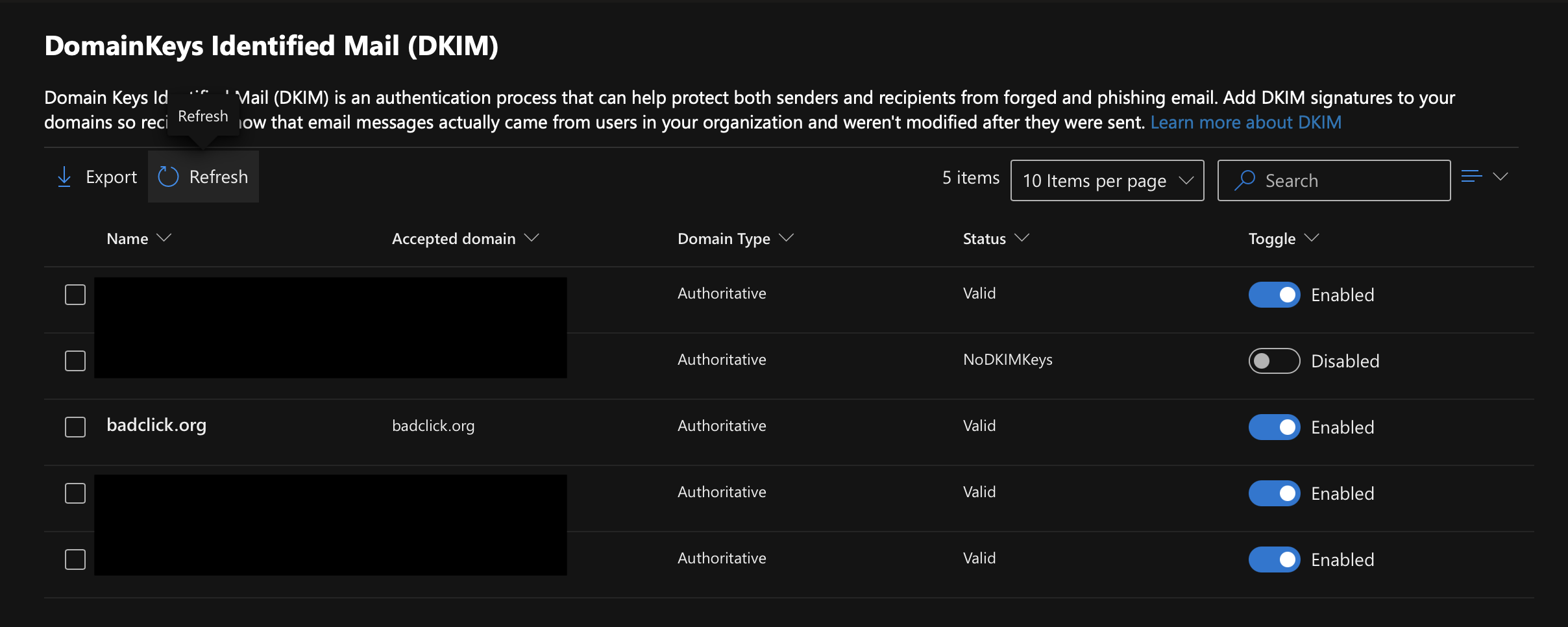
In Microsoft 365, you enable DKIM for each domain by adding two CNAME records in your DNS provider (Cloudflare):
selector1._domainkey.badclick.org → selector1-badclick-org._domainkey.badclick.w-v1.dkim.mail.microsoft.com
selector2._domainkey.badclick.org → selector2-badclick-org._domainkey.badclick.w-v1.dkim.mail.microsoft.com
Once these records propagate, you can enable DKIM signing from the Microsoft 365 Security & Compliance Center.
All of them validated successfully.
🧱 DMARC: Monitoring and Policy
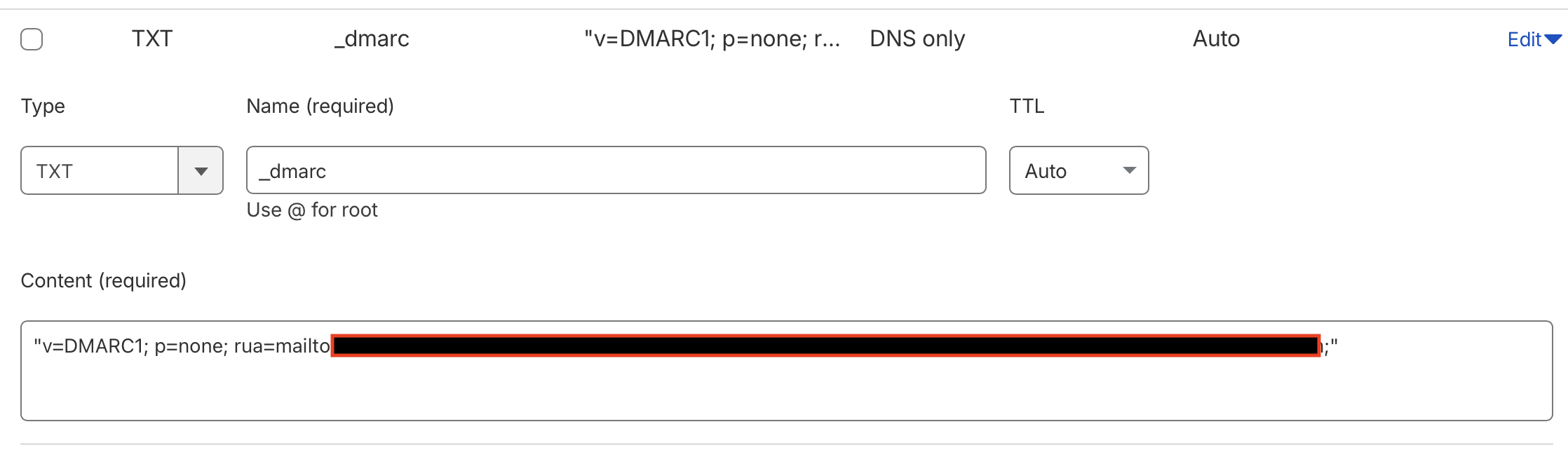
After SPF and DKIM, I added DMARC (Domain-based Message Authentication, Reporting, and Conformance).
It defines what happens when mail fails authentication and where reports should be sent.
For now, I’m monitoring everything:
v=DMARC1; p=none; rua=mailto:reports@dmarcian.com;;
This points to dmarcian, a platform that aggregates DMARC reports into dashboards and visual insights.
From there I can see which hosts are sending on my behalf, whether legitimate or spoofed, and how often they pass or fail DKIM and SPF.
Over time, I’ll move from:
p=none → p=quarantine → p=reject
gradually increasing enforcement with pct= values (1%, 25%, 50%, 75%, 100%) once I’m confident that no legitimate services are being caught.
☁️ Cloudflare Integration
Cloudflare remains the backbone of all this, hosting DNS for each of my domains.
The key rule here is simple: email records should never be proxied (always gray cloud).
DKIM and DMARC both depend on transparent DNS responses so other mail servers can properly validate them. I also realized Cloudflare also had a DMARC management functionality, which I leveraged in addition to dmarcian.

🧩 dmarcian Reporting
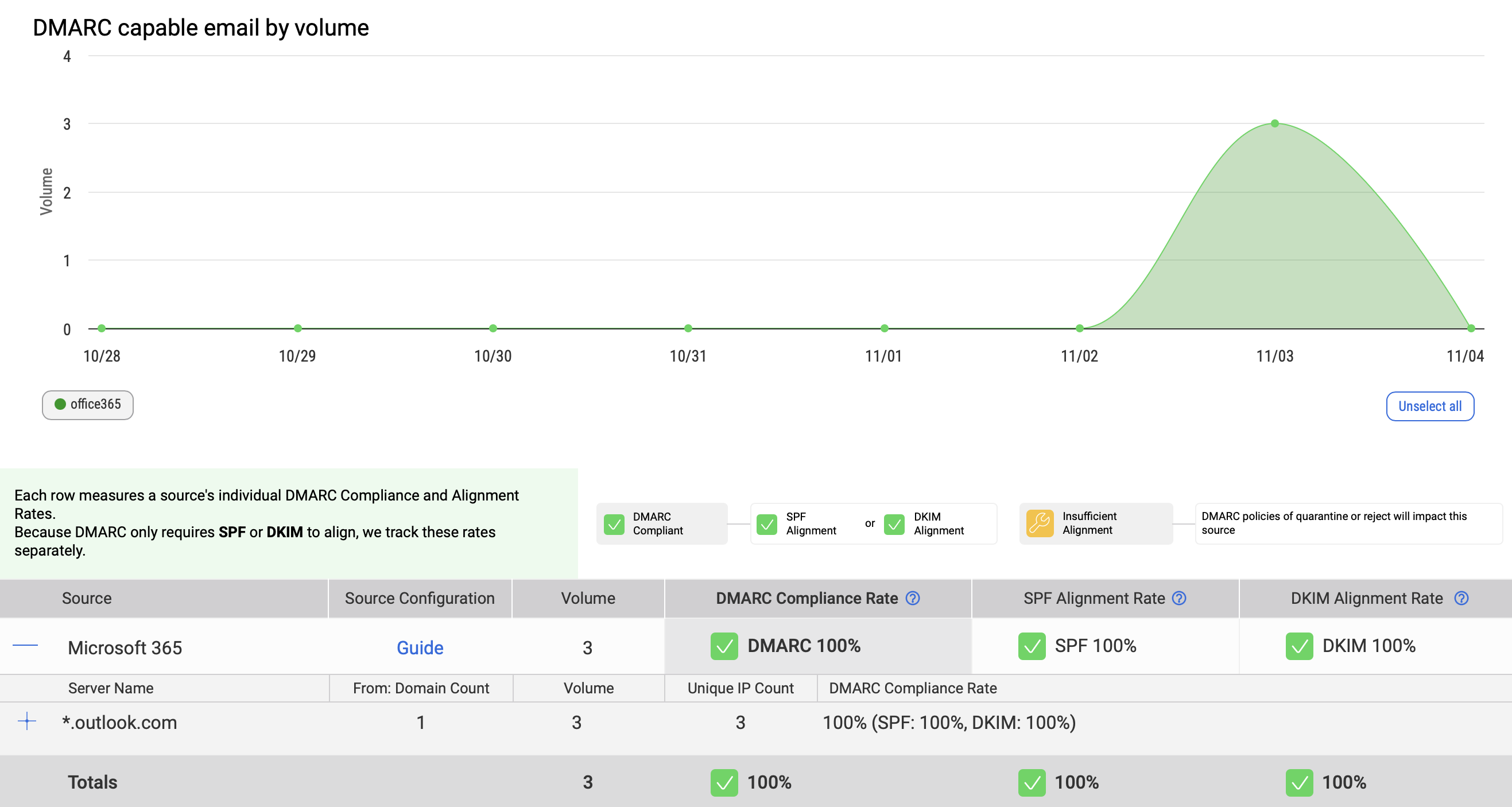
After about 24 hours, I started receiving daily XML reports from dmarcian showing data from Gmail, Yahoo, and Microsoft recipients.
The dashboard helps identify:
- Which IPs are sending mail using my domains
- Whether they pass SPF or DKIM alignment
- And if any unauthorized hosts are trying to spoof me
🧰 Sending from Aliases in Outlook
Since I host multiple domains, I also needed to enable sending from aliases in Microsoft 365.
By default, you can only send from your primary address, but once I turned on the feature under Mail flow settings → Send from aliases, I was able to send as nick@badclick.org, nick@baboso.org, and others.
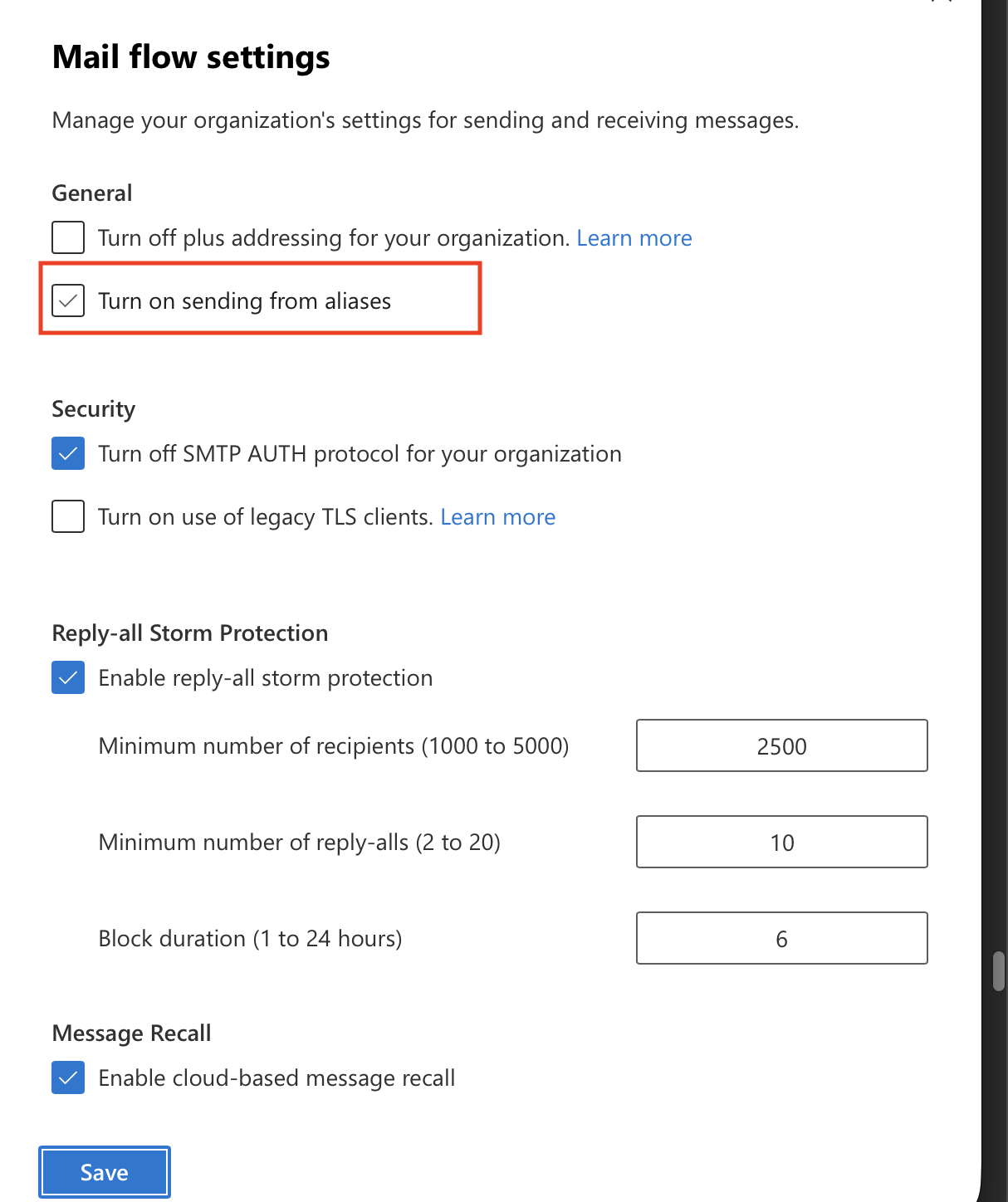
It took about an hour for the new aliases to propagate across all Outlook clients.
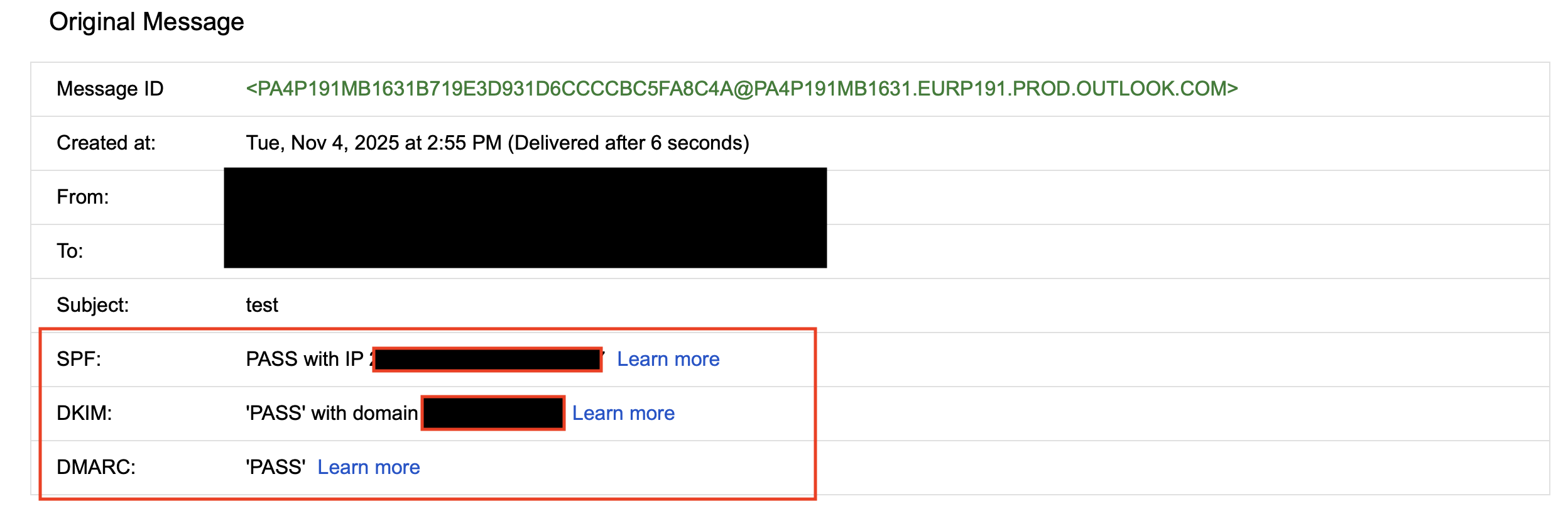
Once everything synced, I verified the headers in Gmail showing correct SPF, DKIM, and DMARC passes:
spf=pass smtp.mailfrom=badclick.org
dkim=pass header.d=badclick.org
dmarc=pass fromdomain=badclick.org
🧠 Learnings & Reflections
| Topic | Lesson |
|---|---|
| Email in the 2000s | Manual configs, open relays, and constant blacklists — still the best teacher. |
| SPF/DKIM today | A few DNS records and a click — no command line needed. |
| DMARC enforcement | Start with p=none to observe, then slowly tighten to reject. |
| Send From Alias | Must be explicitly enabled in M365 to send as other domains. |
| BIMI curiosity | It’s next on the list. I’m wondering if I could use my photo as the BIMI logo (that’d be amusing). |
🧭 The Road Ahead: BIMI
Next, I’ll be exploring BIMI (Brand Indicators for Message Identification), which displays your verified logo in inboxes like Gmail and Yahoo.
To get there:
- I’ll need
p=quarantineorp=rejectDMARC, - A Verified Mark Certificate (VMC),
- And a properly formatted SVG logo.
If I could make BIMI display my own face beside my emails, that would be both secure and hilarious.
✅ Summary
| Layer | Purpose | Status |
|---|---|---|
| SPF | Authorize M365 to send mail | ✅ |
| DKIM | Cryptographically sign mail | ✅ |
| DMARC | Monitor and report (p=none) | ✅ |
| BIMI | Display brand logo in inbox | 🕓 Coming soon |
🧾 Closing Thoughts
It’s a satisfying feeling watching everything align:
SPF, DKIM, and DMARC all returning pass — the holy trinity of modern email security.
What used to take hours of config tweaking now takes minutes with the right DNS and SaaS tools.
I’ve come a long way from Sendmail on a home IP to Cloudflare dashboards and DMARCian graphs.